
How to ask for Google Reviews
Online reviews are becoming more common now and of course the most genuine and natural looking reviews are the ones that customers leave without any prompting. But sometimes sending a prompt to request a review directly can also encourage them. Engaging with your customers and clients directly about their experience/purchase is also good customer service and will often prompt a (hopefully) positive review .
Online reviews can be left across a number of channels including Facebook, Yell, Trip Advisor,
Trustpilot and of course Google.

Make it easy to receive Google reviews
I wanted to touch on Google Reviews and talk you through the best and easiest way to ask for a review as these types of reviews can also have an impact on your SEO.
It’s first worth pointing out that your customers will need a Google account to be able to leave a review. Which most people do nowadays, whether through setting up gmail or creating a Google Ads or Google Analytics account.
As we are all living busy lives, it’s important to make it easy for your customers to leave a review. Here are a couple of tips….
- Pick your timing
You want to request the review when your customer has experienced the full benefits of your service or product. Send it too early and you may not get all the details that you want to see, send it too late and that initial sense of impressiveness you incited may have faded.
- Keep it straight forward
Rather than simply sending your customers an email asking for a review, or just adding a Google Review banner to your website, you can also create a link that directs them straight to the review section on your Google account.
See below for instructions on where you can find your link…
- Sign in to your Google My Business account.
- If you cover multiple locations, click on the location that you’d like to use to request a review.
- You should land on the home page but if not, click home on the top left of the page.
- Then on the right you will see a section labelled ‘Get your first review’, you just need to click on the link and then you can copy your short URL to share with your customers.
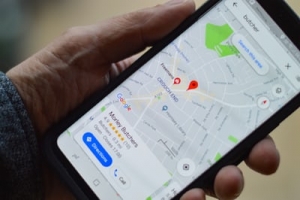
The more 5 star Google reviews you have the better Google will like you (to boost rankings and overall presence) and also your potential customers will see you are a reputable business doing good work!
If you’re sending the link directly maybe select the customers you know will leave you an amazing review to ensure you get these important 5 stars!
If you have any questions about online reviews or how to boost search engine visibility, please send me a message!


